Printable Word Search Puzzles
Pick a topic, size and difficulty, then print a pack of different word search puzzles with their answer keys.
Recent
Your last 10 settings, saved only in this browser. Nothing is uploaded.
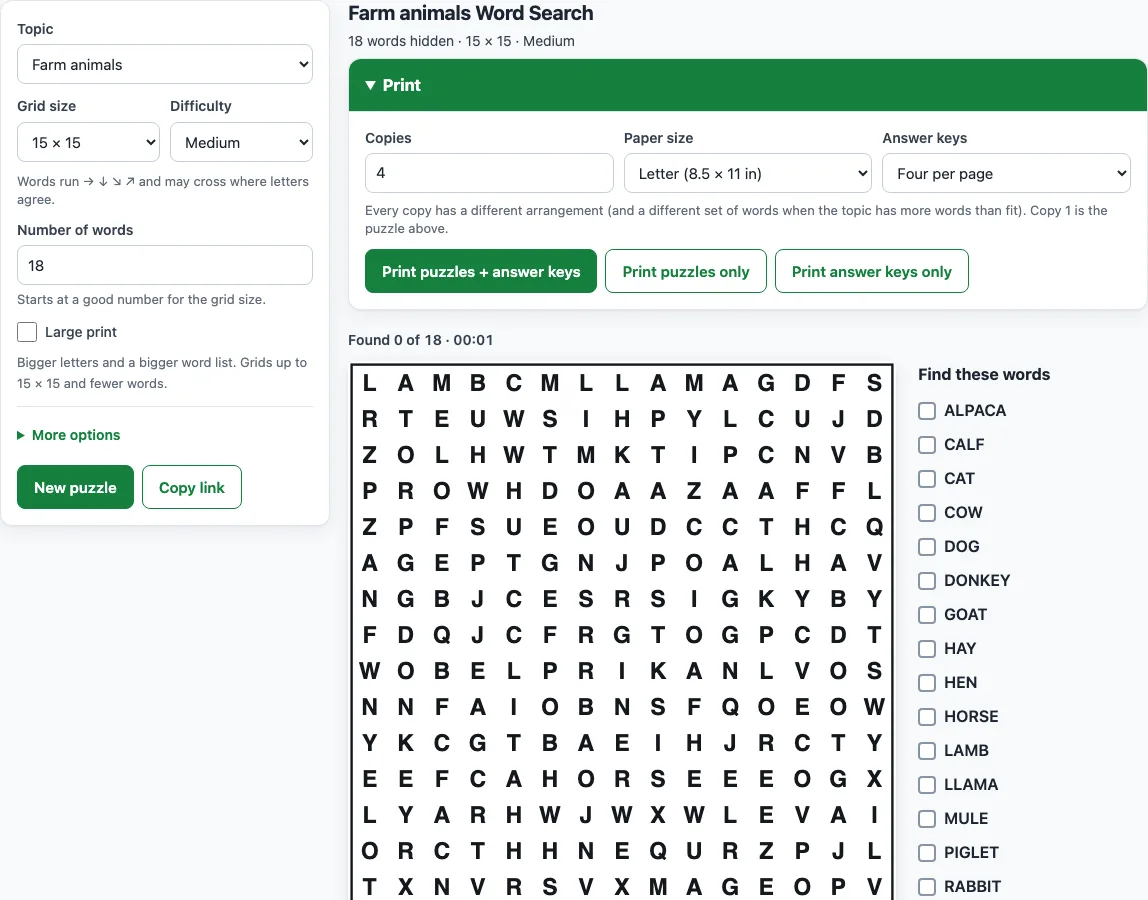
This free printable word search maker builds word search puzzles that you can print on Letter or A4 paper. It runs in your web browser, so there is nothing to download and no sign-up, and nothing is uploaded. The page opens with a 15×15 Farm animals puzzle at Medium level, set to print four different puzzles at once.
Choose a topic from 83 ready-made word lists, or type your own words. Pick the grid size and difficulty, and the tool builds a new grid with the words hidden in it. You can solve the puzzle on screen with a timer, or print it with a title, Name and Date lines, and a word list with checkboxes.
Word searches work well for classrooms, family game time, birthday parties and quiet time at home. Each puzzle can come with an answer key. Sell them on Etsy if you like.
How to use the Printable Word Search
- Open the Topic menu and choose a topic, such as Farm animals (the default), or choose My own words and type your own list.
- Set the Grid size, from 8×8 to 30×30.
- Set the Number of words, from 4 to 60. It starts at a good number for the grid size, so you can leave it as it is.
- Pick a Difficulty: Easy, Medium, Hard or Expert. The hint line under the menu explains what the level changes.
- Tick Large print for bigger letters, or open More options for UPPER CASE or lower case letters, the word list order, hiding the word list or a hidden message.
- Solve on screen: click or tap the first letter of a word, then its last letter. The status line shows “Found x of y” and runs a timer. Use Hint or Show answers if you get stuck, and New puzzle for a fresh grid with the same settings.
- Open the Print panel, set Copies, Paper size and Answer keys, then press one of the print buttons.
Copy link saves all your settings and the exact puzzle, so the link opens the same grid again for a class, a newsletter or a friend. Keyboard players can move with the arrow keys and mark a word with Enter or Space. Your game stays saved in this browser, so reloading the page picks it up where you left off.
What does a printed word search look like?
This is a real sheet from the tool: an 8×8 Easy puzzle on Farm animals with 6 words (open the same puzzle). Easy words run only right and down, which is why every word below reads in one of those two directions.
Z H D D Y Z T Y
Q L T S Y R P E
D O G H J X A M
S O O E K T S H
U B C E B Z T H
I D A P I D U E
L O T G Q G R N
K H B A R N E M
The word list under the grid has a checkbox for each word: ☐ BARN ☐ CAT ☐ DOG ☐ HEN ☐ PASTURE ☐ SHEEP.
The answer key with word positions lists, for the same sheet: BARN row 8, column 3, right; CAT row 5, column 3, down; DOG row 3, column 1, right; HEN row 5, column 8, down; PASTURE row 2, column 7, down; SHEEP row 2, column 4, down. To check one, find PASTURE: go to row 2, column 7 (the P in the second row) and read down to the E in row 8.
How do word search puzzles work?
A word search hides a list of words in a grid of letters. Each word sits in one straight line, and the squares that are not part of a word are filled with random letters. Every hidden word appears exactly once, and the random letters are checked so they never spell a second copy of a word or a rude word by accident.
What do the difficulty levels mean in a word find?
The four levels change the directions a word can run and whether words may cross. On Easy, words run only left to right and top to bottom, and they never cross. Medium adds diagonals that run down-right and up-right, and words may cross where their letters agree. Words still never run backwards on Medium.
Hard uses all eight directions, including backwards and upward, and words may cross. Expert uses all eight directions too, tries crossings first, and takes its filler letters from the hidden words themselves. Because of this, the whole grid looks alike, and odd letters do not give the words away.
How do I solve a word search faster?
If a word contains an unusual letter such as Q, X, Z, J or K, scan the grid for that letter first; it is quicker to check a few places than many. Double letters such as OO, LL and SS are another good clue. Find the longest words first, since they take up the most space and are easiest to spot.
Take the first letter of a word and check all eight neighbouring squares for its second letter. Cross each word off as you find it. On Hard and Expert, words can also run backwards and up.
What is a hidden message in a word search?
A hidden message is a short phrase of up to 40 characters hidden in the squares no word uses. Its letters fill the first empty squares, reading left to right and top to bottom. The solver finds every word and then reads the leftover letters in the same order: the first ones spell the message.
The answer key shades those squares and spells the message, so the person who makes the puzzle can check it.
How are my own words turned into a grid?
You can enter up to 60 words, one per line, or separated by commas or semicolons. Spaces, hyphens and apostrophes stay in the word list but not in the grid. For example, “ice cream” is hidden as ICECREAM, and jack-o’-lantern is hidden as JACKOLANTERN. Accents are removed in the grid, so café becomes CAFE.
A word needs at least 2 letters and can be no longer than the grid. Words that are too long, too short or repeated appear under Left out, with the reason next to each one.
Frequently asked questions
How do I print several different word searches at once?
Set Copies in the Print panel to any number from 1 to 20. Every copy has a different arrangement, and if the topic has more words than fit the grid, each copy can have a different set of words. Press Print puzzles + answer keys or Print puzzles only to print them all. To save a PDF instead of printing, choose Save as PDF in the print window; each puzzle gets its own page with the title, size, level, Name and Date lines, and word list.
Are there printable word searches for adults?
Yes. Open the Topic menu and look in the For adults group, which has lists such as Countries, US states, World capitals, Cooking, Gardening, Travel and Big words. Set the difficulty to Hard for all eight directions, or tick Large print when the letters need to be bigger. The word search puzzles for adults page opens with these settings.
What topics are there?
There are 83 ready-made topics in 8 groups: Holidays, Seasons and weather, Animals, Science, Sports, Music, Everyday life and For adults. Examples include Halloween, Dinosaurs, Football, Composers, Countries and Cooking. You can also choose My own words or Random topic, which picks a different topic for each new puzzle.
Do the puzzles come with answer keys?
Yes. In the Print panel, set Answer keys to Four per page, One per page, or One per page with word positions, or press Print answer keys only. The keys come after the puzzles, with each word outlined in the grid. On screen, Show answers outlines every word.
Can I sell the printable word searches I make on Etsy or Teachers Pay Teachers?
Yes. The printable puzzles and answer keys you make are royalty-free for personal, classroom and commercial use, including Etsy printables, Teachers Pay Teachers, KDP puzzle books and print-on-demand products. No credit is required. The only thing you may not do is copy our generator or site to run a competing service.
Is it free? Do I need to sign up?
It is free, with no sign-up and no download. Everything runs in your browser, and nothing is uploaded.
Can I print a large print word search?
Yes. Tick Large print under the Difficulty menu for bigger letters, grids up to 15×15 and about 70% of the words.
Are seek and find word puzzles the same as word searches?
Yes. Seek and find word puzzles, word seek, word sleuth and word hunt printables are all the same puzzle: hidden words in a grid of letters. Every pack here prints as word search activity sheets with Name and Date lines, and for difficult word search puzzles choose Hard or Expert.
Related tools
- Word search maker: Use it to build a puzzle from your own words, such as a spelling list or a class topic.
- Word search for kids: Use it when you want puzzles pitched at younger solvers.
- Word search puzzles for adults: Use it for grown-up topics and harder grids.
- Large print word search: Use it when the letters need to be bigger for easier reading.
- Hard word search: Use it when you want words that run backwards and up.
- Christmas word search: Use it for a festive puzzle in the holiday season.
- Daily word search: Use it for one new puzzle every day, the same for everyone, to play or print.
- Animal word search: Use it for puzzles about pets, farm, wild and sea animals.
- Word search online: Use it when you want to solve the puzzle on screen rather than on paper.
- Word search with answers: use it when you want answer keys that list each word’s row, column and direction.