Thanksgiving Word Search
Turkey, pilgrims and pumpkin pie hidden in a grid, to print for the table or the class.
Recent
Your last 10 settings, saved only in this browser. Nothing is uploaded.
This free Thanksgiving word search maker creates printable puzzles right in your web browser. There is no sign-up and no download, and nothing you make is uploaded. You can pick the Thanksgiving topic, a grid size from 8×8 to 30×30, and a difficulty from Easy to Expert. Then you can solve the puzzle on screen, with a timer and a hint button, or print one or more copies for a class, a table or a family gathering. The word list includes holiday words such as CORNUCOPIA, PUMPKIN PIE and GRATITUDE. You can also add your own words. These Thanksgiving word search puzzles are ready to print on Letter or A4 paper, with an answer key if you want one.
The Thanksgiving sheets are free to use at the table, in class or in products you sell, such as Etsy printables.
How to make a Thanksgiving word search
Set up the puzzle, then print it or play it on screen.
- Choose a topic: Thanksgiving (49 words), Thanksgiving (easy) (32 short words) or Fall (42 words). To use your own list, choose ‘My own words’ and type your words.
- Set the ‘Grid size’ from 8×8 to 30×30. The ‘Number of words’ starts at a good number for that size, and you can change it from 4 to 60.
- Pick a ‘Difficulty’: Easy, Medium, Hard or Expert. Read the hint line under the level you pick.
- Open the ‘Print’ panel and set ‘Copies’ from 1 to 20. Copy 1 is the puzzle on screen.
- Choose ‘Paper size’ (Letter or A4) and ‘Answer keys’ (Four per page, One per page, or One per page with word positions).
- Click ‘Print puzzles + answer keys’, ‘Print puzzles only’ or ‘Print answer keys only’. To save a PDF, choose ‘Save as PDF’ in the print window.
- To play on screen, click or tap the first letter and then the last letter of a word. Use ‘Hint’ if you are stuck, ‘Show answers’ to outline every word, and ‘Next puzzle’ for a new grid with the same settings.
- Click ‘Copy link’ to get an address that opens exactly the same puzzle.
Keyboard players can move with the arrow keys and mark with Enter or Space. The game is saved in your browser, so reloading the page continues where you left off.
What words are in a Thanksgiving word search?
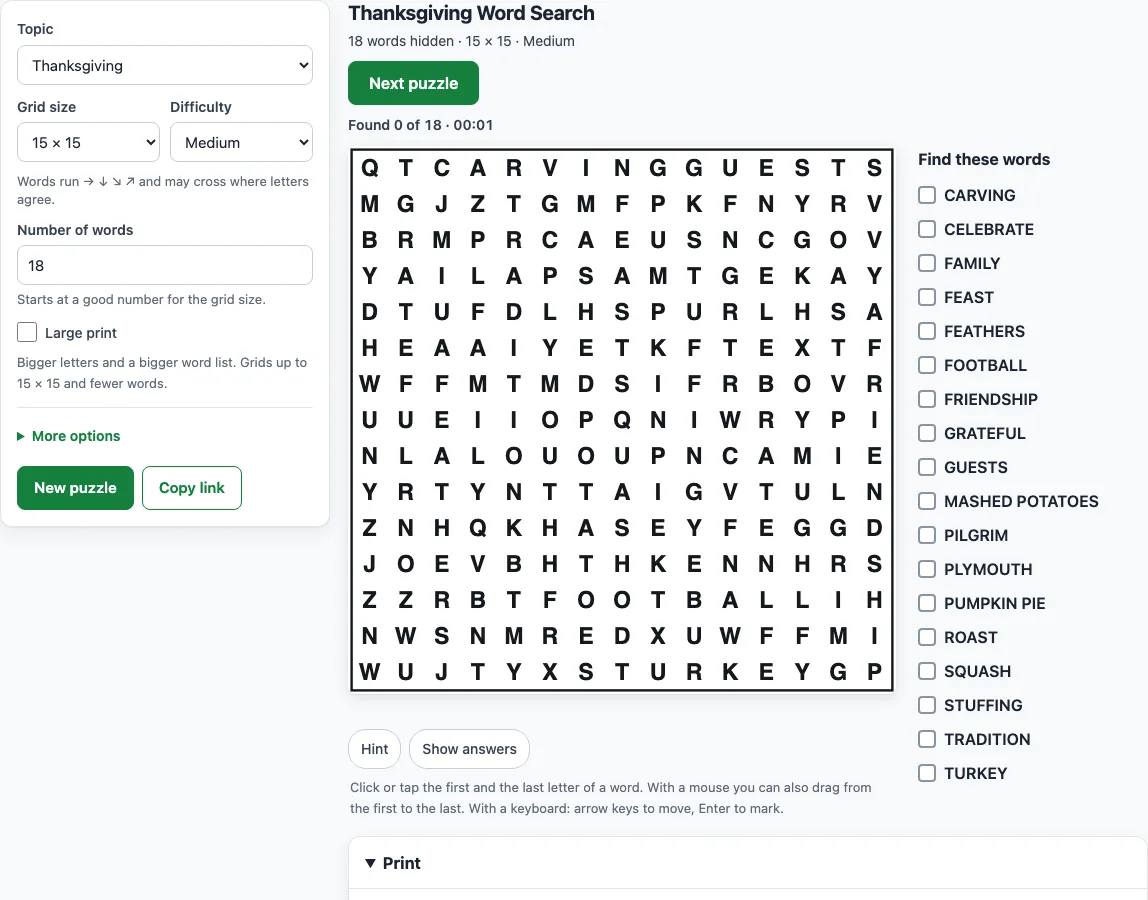
The tool picks the words at random from the topic you choose, as many as fit the grid (18 on the default 15×15 grid), so every new puzzle mixes them differently. The full lists:
Thanksgiving (49 words): Turkey, Pilgrim, Mayflower, Stuffing, Cranberry, Pumpkin pie, Gravy, Harvest, Feast, Gratitude, Thankful, Family, Parade, Football, Cornucopia, Sweet potato, Mashed potatoes, Dinner, Autumn, Plymouth, Wampanoag, Blessings, Grateful, Corn, Squash, Pecan pie, Dressing, Rolls, Green beans, Tradition, Gathering, Leftovers, Carving, Roast, Dessert, Table, Guests, Hospitality, Giving, Orchard, Feathers, Wishbone, Casserole, Cider, Apple pie, Settlers, Colony, Friendship, Celebrate.
Thanksgiving (easy) (32 words): Turkey, Pilgrim, Feast, Pie, Corn, Gravy, Thanks, Family, Harvest, Autumn, Fall, Leaf, Squash, Pumpkin, Stuffing, Rolls, Dinner, Friends, Grateful, Parade, Apples, Beans, Pecan, Cider, Table, Share, Give, Love, Thankful, Yams, Feather, Wishbone.
In the grid, spaces are removed, so Pumpkin pie is hidden as PUMPKINPIE. In the example puzzle (15×15, Medium), DESSERT starts in row 2, column 6 and runs left to right, PUMPKINPIE starts in row 9, column 5 and runs left to right, and SWEETPOTATO starts in row 14, column 3 and runs diagonally up to the right.
Thanksgiving dates differ by country: US Thanksgiving is the fourth Thursday of November (November 26 in 2026), and Canadian Thanksgiving is the second Monday of October (October 12 in 2026).
Is there an easy Thanksgiving word search for kids?
Yes. Choose ‘Thanksgiving (easy)’, which has 32 short words, or set ‘Difficulty’ to Easy. An easy Thanksgiving word search keeps the words simple to spot, and the difficulty levels add rules in steps:
- Easy: words run left to right (→) and top to bottom (↓) only, and they never cross.
- Medium: words can also run diagonally down-right and up-right (↘ ↗). They never run backwards, and they may cross where letters agree.
- Hard: all 8 directions, including backwards, and words may cross.
- Expert: all 8 directions, with crossings tried first. The filler letters come from the hidden words’ own letters, so the whole grid looks alike.
On Easy the tool starts with fewer words, never more than the grid size plus 2. A small grid such as 8×8 starts at 8 words, which suits younger solvers.
How do you solve a Thanksgiving word search?
Start with words that have an unusual letter (Q, X, Z, J, K) or a double letter (OO, LL, SS) and look for that letter first. Take the first letter of a word and check all 8 neighbours for its second letter, find the longest words first, and cross words off as you go. On Hard and Expert, also read backwards and up. Every hidden word appears exactly once, so when you have found it, stop looking.
Ready-made Thanksgiving word search settings
Each link opens the tool with the settings filled in:
- Easy Thanksgiving word search for kids: 10×10, 8 short words.
- Large print Thanksgiving word search: bigger letters.
- Class set: 15×15, 20 different copies.
- Difficult Thanksgiving word search: 20×20, 30 words, all eight directions.
- Expert Thanksgiving word search for adults: 25×25, 40 words.
Frequently asked questions
Is there a free printable Thanksgiving word search?
Yes. Choose a topic, set the grid size and difficulty, then click ‘Print puzzles + answer keys’ or ‘Print puzzles only’. No sign-up or download is needed.
Can I make a Thanksgiving word find with my own words?
Yes. Choose ‘My own words’ and type or paste your list, for example family names plus a few words from the lists above. Those words stay in your browser and are never uploaded.
Can I solve the puzzle on screen without printing?
Yes. Click or tap the first letter, then the last letter of a word. With a mouse you can also drag, and on a keyboard the arrow keys move while Enter or Space marks. A found word gets a coloured outline.
Can I print several different puzzles for a family gathering?
Yes. Set ‘Copies’ up to 20: every copy has a different arrangement and, because the topic has more words than fit, a different set of words. Answer keys print after the puzzles, four per page or one per page.
What happens if my grid is too small for the whole word list?
The tool uses all the words that fit and tells you so. A larger grid size lets more words fit.
Will my puzzle still be there if I reload the page, and can I send it to someone?
Yes. The game is saved in your browser, so reloading continues it, and ‘Next puzzle’ gives a new grid with the same settings. Click ‘Copy link’ to send the exact same puzzle: the address holds all your settings and a seed.
Are Thanksgiving word searches free for commercial use on Etsy?
Yes. What you make is royalty-free for personal, classroom and commercial use, including Etsy printables, Teachers Pay Teachers, KDP activity books and print-on-demand products. No credit is required, and the only limit is copying the generator or site to run a competing service.
Is there a Thanksgiving word find with answers?
Yes. A Thanksgiving word find is the same puzzle as a word search, and every one comes with an answer key. Press ‘Show answers’ on screen to outline all the words, or print the answer keys together with the puzzles. The keys also list the row, column and direction of each word.
Related tools
- Fall word search: use it when you want autumn words instead of the Thanksgiving list.
- Word search with answers: use it when the answer key with row and column positions is what you need.
- Halloween word search: use it for an October puzzle with spooky themed words.
- Christmas word search: use it for a holiday puzzle for late December.
- Word search for kids: use it to find puzzles suited to younger solvers.
- Printable word search puzzles: use it when your main goal is paper copies to print.
- Large print word search: use it for puzzles with bigger text for easier reading.
- Word search maker: use it to build a puzzle from any topic or your own word list.