Wedding Word Search
Bride, groom, bouquet and reception words hidden in a grid, to print for a shower or table game.
Recent
Your last 10 settings, saved only in this browser. Nothing is uploaded.
This free Wedding word search maker creates puzzles you can play on screen or print for a classroom, a party or a family activity. It runs in your web browser, so there is nothing to download and no sign-up. The default topic, Wedding, has 50 words such as Bride, Groom and Bouquet. You choose the grid size and difficulty, and the tool builds a new grid with the words hidden in the directions that level allows. You can solve it online with a timer and hints, or print it on Letter or A4 paper with answer keys. Nothing is uploaded, and any word list you type stays in your browser.
The sheets are yours to use at home, in class or in products you sell, such as printables.
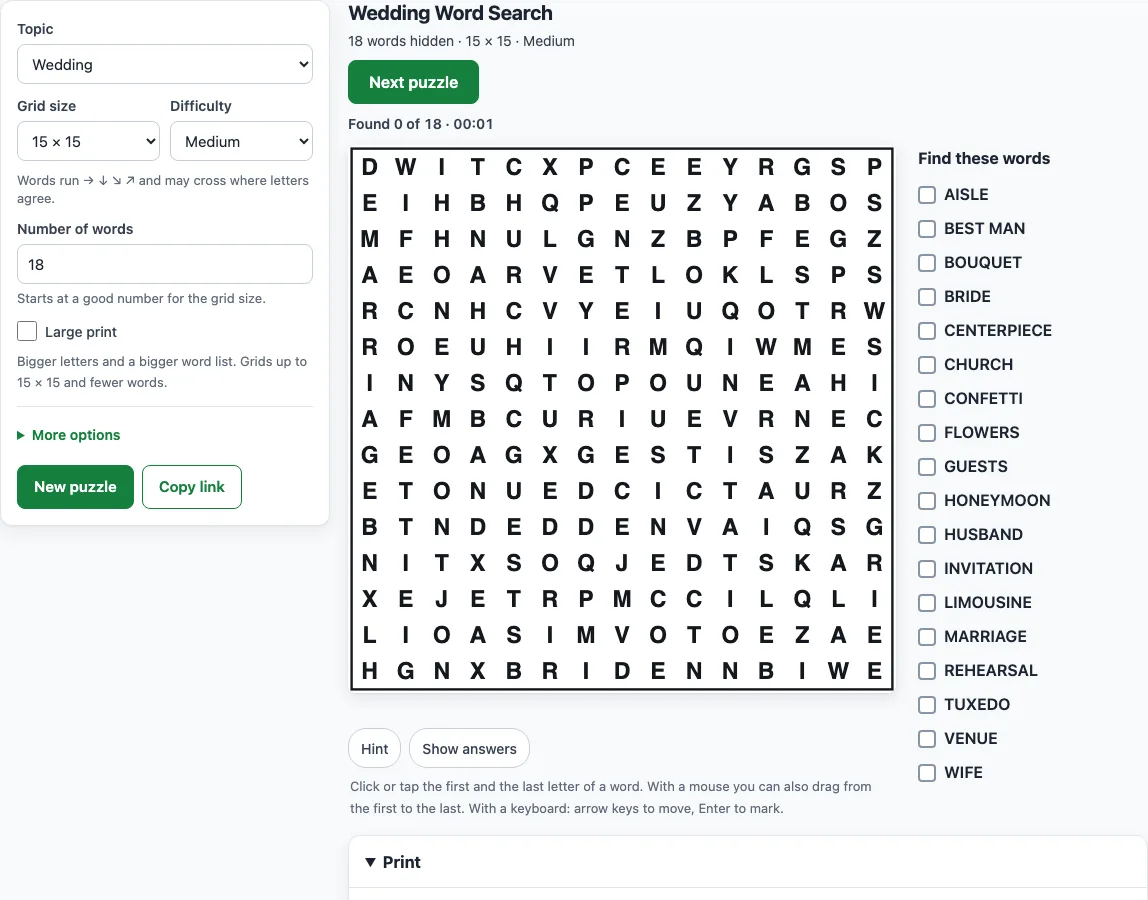
How to make a Wedding word search
- Open the Topic menu and choose Wedding for the 50-word list. To use your own words, choose My own words and type them in.
- Pick a Grid size from 8×8 up to 30×30. The page starts at 15×15.
- Set the Number of words, which can be anything from 4 to 60. The tool starts at a good number for the size you chose.
- Choose a Difficulty. Read the hint line under it, which shows the directions the words can run in.
- Solve on screen by clicking or tapping the first letter of a word and then its last letter. Use Hint to flash the first letter of an unfound word, or Show answers to outline every word.
- Click Next puzzle or New puzzle for a fresh grid with the same settings.
- To print, open the Print panel and set Copies (1 to 20), Paper size (Letter or A4) and Answer keys (Four per page, One per page, or One per page with word positions). Then click Print puzzles + answer keys, Print puzzles only or Print answer keys only.
Each copy in a print run has a different arrangement, and copy 1 is the puzzle on your screen. To save a PDF, choose Save as PDF in the print window. Copy link opens the same puzzle again later.
What words go in a Wedding word search?
The default Wedding topic uses 50 words, including Bride, Groom, Wedding, Bouquet, Veil, Gown, Tuxedo, Ring, Rings, Vows, Aisle, Altar and more. Words with spaces or apostrophes are hidden without them, so Best man appears in the grid as BESTMAN.
The full lists:
Wedding (50 words): Bride, Groom, Wedding, Bouquet, Veil, Gown, Tuxedo, Ring, Rings, Vows, Aisle, Altar, Ceremony, Reception, Cake, Toast, Champagne, Flowers, Bridesmaid, Groomsman, Best man, Maid of honor, Flower girl, Ring bearer, Officiant, Minister, Church, Chapel, Garden, Venue, Guests, Invitation, Registry, Rehearsal, Honeymoon, Marriage, Husband, Wife, Anniversary, First dance, Bouquet toss, Garter, Confetti, Photographer, Limousine, Boutonniere, Centerpiece, Engagement, Fiance, Bridal shower.
The list covers the people, the ceremony, the reception and the things you carry or wear, from Bride and Groom to Bouquet, Veil and Honeymoon.
How can I use a wedding word search at a shower or reception?
Print one copy per guest with Copies set to the number of seats, and every copy has a different arrangement, so neighbours cannot copy each other. To make it personal, choose My own words and type the names of the couple, the venue, the date and a few shared memories, up to 60 words in all. A smaller grid with the Easy level suits a children’s table, and a larger Hard grid suits guests who like a challenge.
How do I make it easier or harder?
Pick a smaller grid and Easy difficulty, where words run only left to right and top to bottom and never cross, to keep the search to two directions. Pick a bigger grid and Hard or Expert for a challenge, or lower the Number of words for a shorter list.
Several solving tips work at every level. Look for letters that stand out, such as Q, X, Z, J or K, or for double letters such as OO, LL or SS. Take the first letter of a word and check all eight neighbouring squares for its second letter. Find the longest words first, and cross each word off the list as you go.
Each step up in difficulty adds directions. Medium adds diagonals running down-right and up-right, never backwards. Hard uses all eight directions, including backwards, and lets words cross. On Hard and Expert, read backwards and up as well as forwards and down.
Frequently asked questions
Can I print it with answers?
Yes. In the Print panel, set Answer keys to Four per page, One per page, or One per page with word positions, then click Print puzzles + answer keys. The keys come after the puzzles, with each word outlined. To print only the keys, click Print answer keys only.
Is it a free printable Wedding word search?
Yes. The tool runs in your browser with no sign-up and no download. What you make is yours to use freely, including commercially; see the commercial-use question in this FAQ.
Can I make a harder wedding word search for adults?
Yes. Choose Hard or Expert difficulty with an 18×18 or 20×20 grid. Hard places words in all eight directions, including backwards, and lets them cross. Expert also fills the spare squares with letters from the hidden words, so the whole grid looks alike.
Can I use my own words instead?
Yes. Choose My own words in the Topic menu and type up to 60 words, one per line or separated by commas or semicolons. Spaces, hyphens and apostrophes stay in the list but not in the grid. Words that are too long, too short or repeated are listed under Left out with the reason.
Will every word appear in the grid?
Yes. Each word in the list is hidden exactly once. The tool picks as many words from the topic as the Number of words setting asks for; if fewer words fit the grid, it uses all that fit and says so. Words that are part of a longer word, such as CAT inside CATERPILLAR, count only where they were placed.
Can I save the puzzle as a PDF?
Yes. Open the Print panel, click one of the print buttons, and choose Save as PDF in the print window.
Can I sell Wedding word searches on Etsy or Teachers Pay Teachers?
Yes. The puzzles you make are royalty-free for personal, classroom and commercial use, including Etsy printables, Teachers Pay Teachers, KDP activity books and print-on-demand products. No credit is required. The only thing you may not do is copy our generator or site to run a competing service.
Related tools
- Valentine’s word search: use this for a love-themed puzzle with a different word list.
- Music word search: pick this for a puzzle on instruments and songs for a reception.
- Food word search: choose this for a puzzle on dishes and drinks.
- Word search for kids: choose this when you want more ideas for young players.
- Hard word search: use this to find harder grids for older or more experienced solvers.
- Printable word search puzzles: go here if you are mainly looking for puzzles to print.
- Word search with answers: use this when you need a puzzle with a clear answer key.
- Word search maker: visit this to build a puzzle with your own topic or word list.